
What VINELink Covers in Crenshaw County
VINELink is the public face of the VINE custody notification network. Alabama runs it statewide through an optional county contract. A county has to request the service, pay for it, and wire its jail data into the network before anything appears. The Crenshaw County sheriff publishes no notice saying the local jail is an active provider. That gap matters. A search can come back empty simply because the county never plugged in.
Someone booked hours ago? Call the Crenshaw County Jail at 186 Justice Avenue in Luverne, (334) 335-3860. A live voice beats any database when time is short. The official detention page is the county's web starting point, though it offers no searchable roster. Remember that a custody lookup answers only one question, whether a person is held right now. An incident report, a booking sheet, and a court file each tell a different part of the story.
How to Check a Crenshaw County Arrest on VINELink
- Open the official VINELink website. Use its state selection to choose Alabama when that option is available.
- Search one person using the name or identifier fields currently offered. Interfaces are session-driven and may change, so follow the live labels.
- Review all possible matches. Compare name, known county, facility, identifier, and approximate arrest date. Do not select a person based only on a shared name.
- Open the matching record and note the status and source time shown. A status is a snapshot, not a complete arrest or court history.
- If the record supports notifications, register through that record. If no record appears, try a reasonable spelling variation and then contact the jail.
Need the underlying paperwork? The Crenshaw County records guide maps out where to get the booking record and how to track a case through the courts. One caution about the VINELink forms: never type another person's phone number, email, home address, or PIN into a public page or screenshot. Enter your own contact details only.
The VINELink Search Interface
A cautious check starts at the VINELink homepage, which offers a state-selection menu followed by a person search.
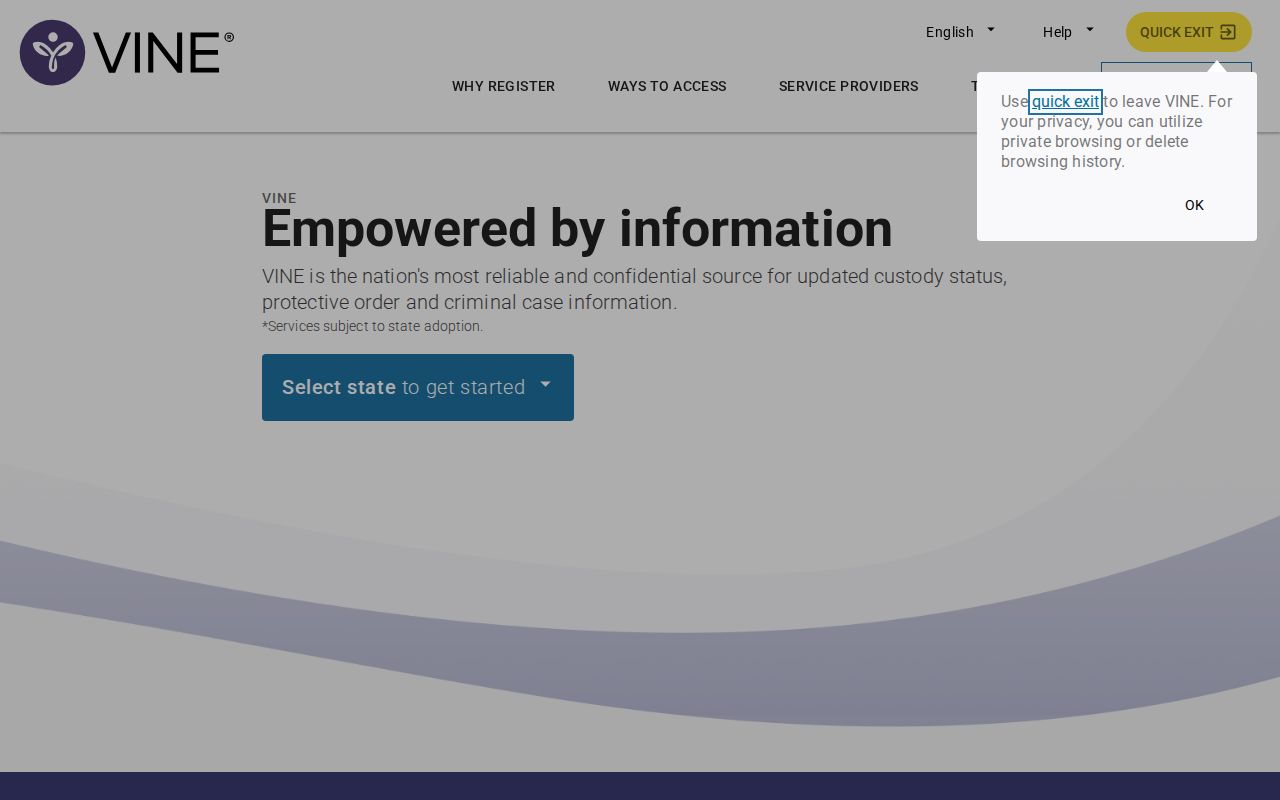
What the screen proves is access to the national service, nothing more. It is not evidence that Crenshaw County arrest data flows into it. Coverage only becomes real when a supported record comes back or the sheriff's office confirms participation in writing.
What VINELink May Show After an Arrest
Which fields appear depends on the agency feeding the system and the current interface. Since no live Crenshaw result can be promised, treat the following as a checklist of what to evaluate rather than a guarantee of what the county displays.
| Item | How to use it |
|---|---|
| Identity or offender identifier | Compare it with independent facts; a name alone can match the wrong person. |
| Custody status | Treat it as a reported snapshot that may change after release or transfer. |
| Facility or agency | Confirm that it is Crenshaw County or the expected receiving system. |
| Update or event information | Note the displayed time and verify urgent decisions directly with the custodian. |
| Notification option | Registration may be offered only when a supported record exists. |
| Booking photo or case outcome | Neither is guaranteed. VINELink is not the court docket or an official photo archive. |
A zero-result search is not a clean answer. A person can be arrested and released before any record lands in the system. Names get misspelled at booking, detainees get transferred between facilities, and some people simply fall outside the participating custody slice. Any of those explains an empty result, so a miss is always inconclusive on its own.
How to Register for Custody Alerts
Registering for alerts is a separate step from searching. Only sign up from a record the live VINELink interface actually supports, not from a guess or a third-party listing.
- Open the correct record and choose the notification or registration control currently shown.
- Select an offered contact method, such as telephone or email. Availability can vary.
- Enter a contact address or number that the registrant controls.
- Create and protect any confidential PIN or confirmation information requested by the service.
- Complete the verification step and save the registration details privately.
- If an alert arrives, use it as a prompt to confirm the event with the facility rather than as the sole source for a safety-critical decision.
The exact registration fields can change, so read them from the current screen. Keep your PIN private, and never post a registration screenshot that shows personal data. One more reality check: an alert creates no court filing, changes no custody status, and cannot promise a warning before every single event.
Why Statewide Availability Does Not Confirm Crenshaw
The Association of County Commissions of Alabama VINE page spells out the arrangement. All 67 counties can use the Appriss service through a joint option contract. Available, though, is not the same as connected.
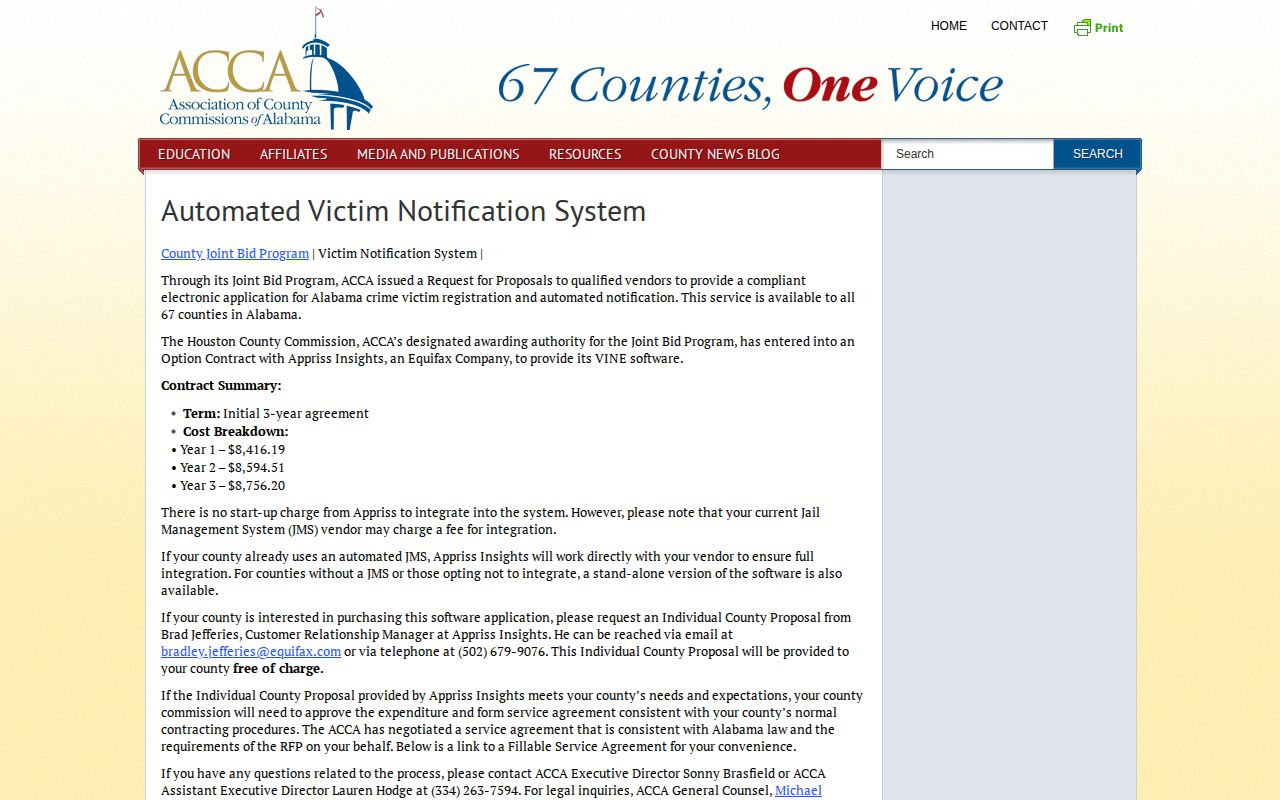
This is the central Crenshaw limitation. A statewide contract sets the table; a live data connection from the county jail is what fills it. Until the sheriff or the service itself confirms coverage, use VINELink as an attempt rather than a definitive Crenshaw County arrest search.
VINELink and Alabama VNS Are Different
The official Alabama VNS FAQ covers a different population: offenders convicted in Alabama and sentenced to prison under ADOC custody. County detainees awaiting trial are not its audience.
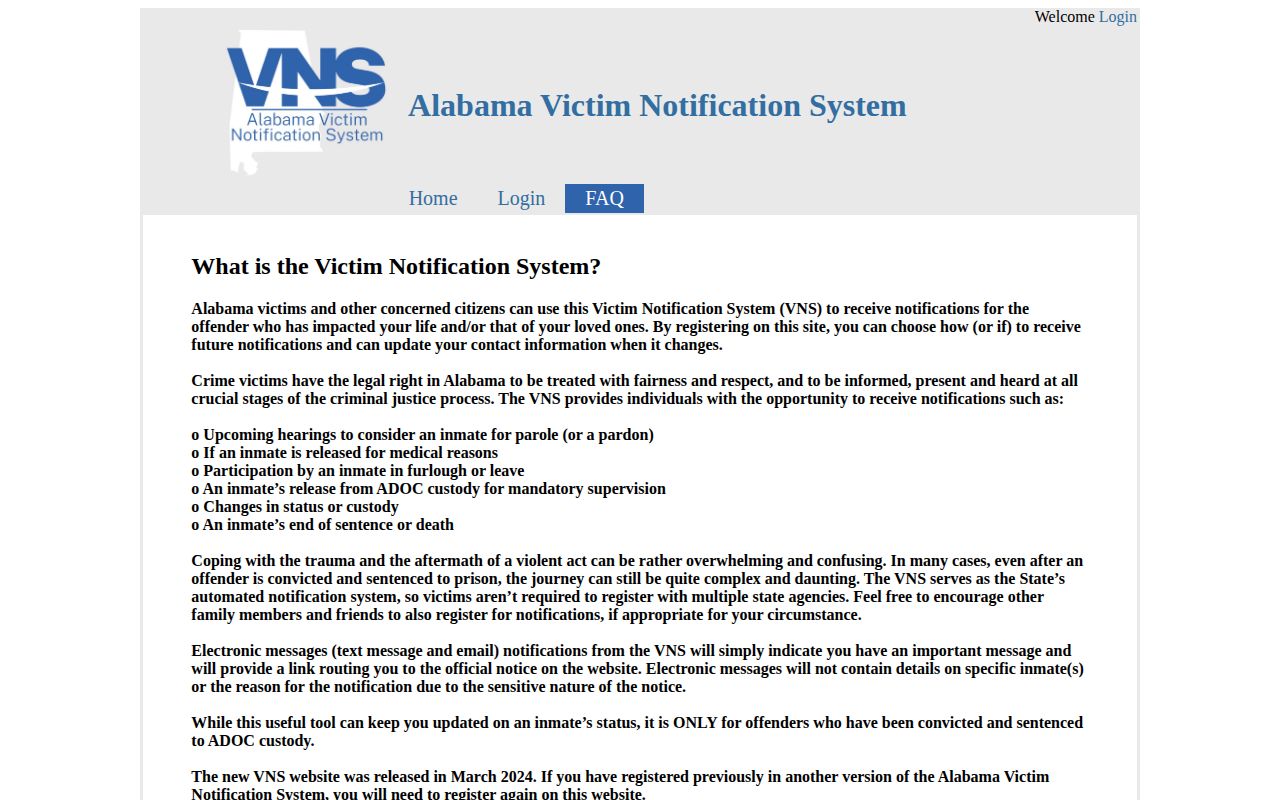
VNS notices cover parole and pardon hearings, medical release, furlough or leave, mandatory supervision, custody and status changes, end of sentence, and death. The service relaunched in March 2024, and prior registrants were told to sign up again. It does not supply county booking photographs. To enroll, the official Alabama VNS registration page builds a state-system profile with your notification preferences.
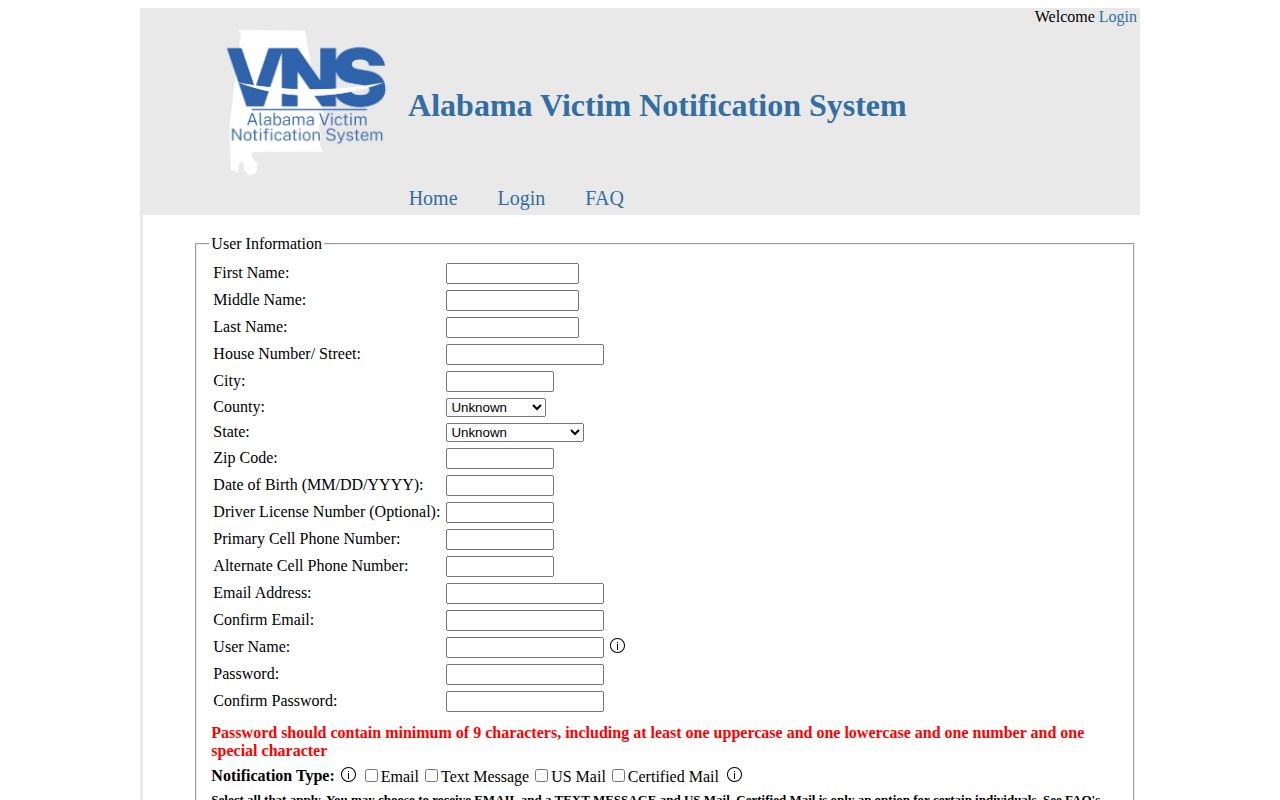
Use VNS only once a case has produced an ADOC prison sentence. A recent Crenshaw County detainee may be absent for the simple reason that no sentence exists yet.
VINELink Limits and Crenshaw Confirmation
Neither VINELink nor VNS is a universal repository. Federal custody belongs to the Bureau of Prisons locator, immigration detention to ICE, and state-prison custody to ADOC. A fresh Crenshaw County booking belongs to the county jail. When timing matters, the 24-hour arrest guide walks through the jail-first workflow.
An empty result can mean many things. The county may not participate, a name may be misspelled, a record may have changed, or the person may have been released, transferred, moved to another facility, or flagged as protected. None of those possibilities can be sorted out from the search screen alone.
When the jail confirms a transfer, ask which agency took the person and when. That answer points to the next system: ADOC for state prison, federal and immigration locators for their own custody. For the paper trail, request booking material from the sheriff, an incident report from the arresting agency, and later case activity from the Circuit Clerk.
If your safety depends on notice, keep jail and victim-service phone numbers outside the app. After changing a phone number or email, review your details, guard the PIN, and confirm the registration went through. Automated systems can lag or miss events, so an alert should supplement a safety plan, never stand in for one.
Enrolling in notifications does not replace a booking record or a court docket, and canceling an alert does not erase an arrest record. Jot down the date and source of every status check so a later change is not mistaken for a contradiction.
Custody data is not for employment, housing, credit, insurance, or any other Fair Credit Reporting Act decision. Neither this resource nor VINELink is a consumer report. For safety planning, follow official victim-services instructions and never lean on a single automated message.